
Har cheej,
ghar pe.
Groceries, medicines and food from the shops and restaurants in your own neighbourhood — one app, one cart.

APK · Version 1.0.26 · 106 MB · Android 6.0+
Android only for now. It does not come from the Play Store, so your phone asks once for permission to install from this source.
- Safe payments
- Live order tracking
- Trusted local shops
Why choose sabCheej?
No ratings, no customer counts and no “India’s No. 1” here — only what the app actually does.
Your neighbourhood
Shop from the local stores and restaurants you already know and trust — their own stock, their own prices.
Live order tracking
Watch the rider move on the map. If the signal drops, the last known position stays on screen — it never goes blank.
Safe & secure payments
UPI or card through a payment gateway, or cash on delivery. How you pay stays your decision.
Delivery OTP at the door
The rider asks you for a one-time code, and only then is the order marked delivered. No wrong flat, no false status.
Own a shop or restaurant?
Kirana store, pharmacy or restaurant — get your shop’s own page, an order dashboard and stock control, all on your phone. We discuss onboarding and terms with you directly.
Partner With UsHow it works
Ordering your daily essentials, start to doorstep.
1. Choose a store
Set your area with GPS or a pincode. You only see the shops and restaurants that actually deliver to you.
2. Add to cart
Groceries, medicines and restaurant food in one cart. Each shop's total stays separate, so nothing hides in the bill.
3. Place your order
Pick your address, see the whole bill line by line, then pay online by UPI or card — or choose cash on delivery.
4. Get it delivered
Follow the rider on a live map. At the door you read out the delivery OTP, and only then is the order marked delivered.
Get the app
Install it, put in your mobile number, and order from the shops in your own area. Browsing needs no account — you only log in when you actually place an order.
APK · Version 1.0.26 · 106 MB · Android 6.0+
- 1. Tap the button. Chrome asks whether to keep the file — choose to keep it.
- 2. Open the downloaded file. Android asks for permission to install from this source — allow it.
- 3. Install, open, and enter your mobile number.
iPhone par ho?
Safari me app.sabcheej.com kholo → Share button → Add to Home Screen. Icon ke saath app ki tarah khulega — same experience, install ki zaroorat nahi.
Questions and answers
Where something is not decided yet, the answer is “not decided yet”.
What is sabCheej?
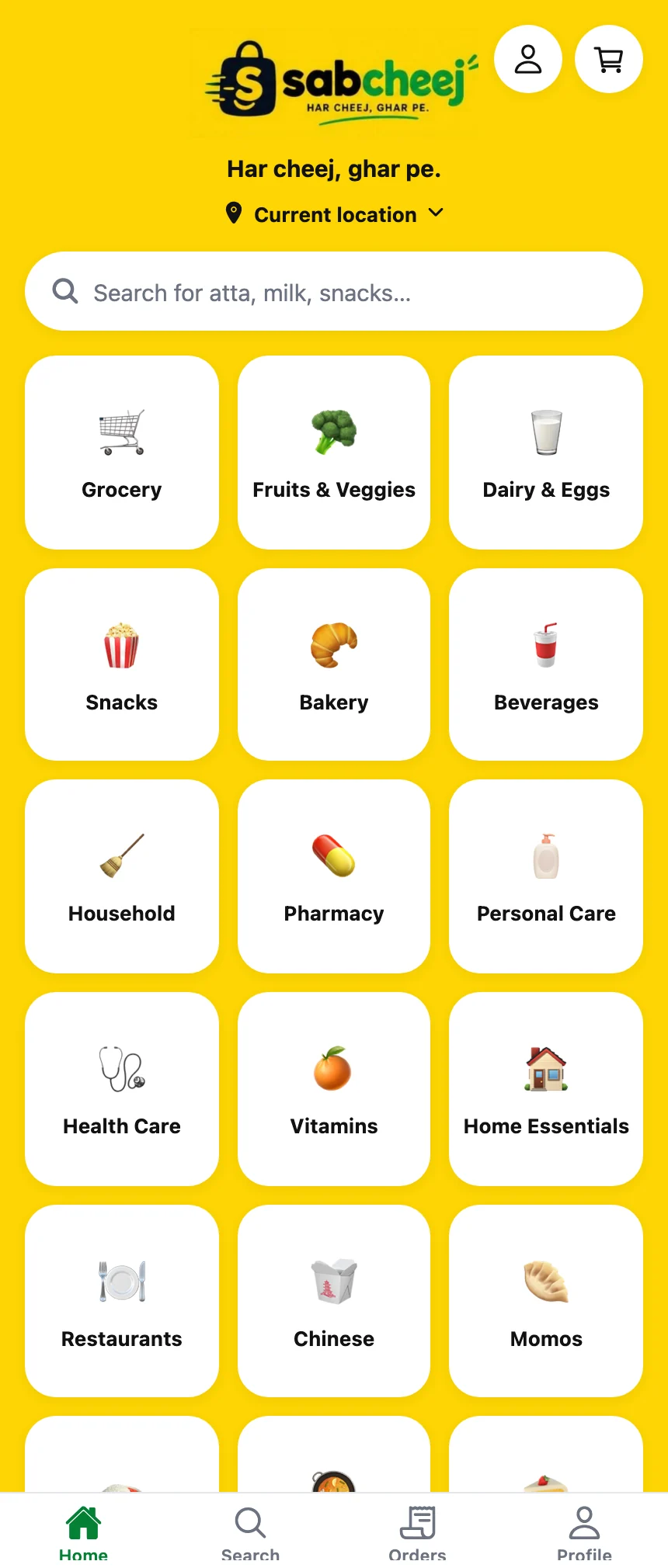
A delivery app that brings the real shops and restaurants of your neighbourhood to your phone — groceries, fruits and vegetables, dairy, snacks, medicines and restaurant food, all from one place.
Is it available in my area?
Open the app and set your area — it will show you the shops and restaurants that actually deliver there. An area goes live once the shops there are onboarded and delivery partners are ready, so if yours is empty today, it is not yet your area's turn. Nothing is hidden from you: the app says plainly when a shop does not reach you.
Where can I download the app?
Android: the “Download for Android” button at the top of the home page gives you the APK directly. Because it does not come from the Play Store, your phone will ask once for permission to install from this source; allow it and the install goes through normally. iPhone: open app.sabcheej.com in Safari and use Share → Add to Home Screen — it runs as an app from your home screen, same features, no install.
What will the delivery and other charges be?
Every charge shows up line by line in the full bill in the app, before you place the order — item total, delivery, taxes and discount. We are not printing a figure here, because whatever is printed here is what customers will trust, and it will only be written once it is final for your area.
How can I pay?
Online (UPI or card, through a payment gateway) or cash on delivery — both. If you want COD, you get COD; we are not the kind to take it away.
What happens once an order is on the way?
The moment the order is accepted you can track it on a live map, and at handover the rider will ask you for an OTP. That OTP is the proof of handover — your order does not go to someone else, and nobody has to doubt the rider.
Do I need an account?
Not to browse. You can pick your area and look at shops, menus and prices, and even build a cart. Login is needed only when you place an order — because delivery is not possible without an address and a number.
Can my shop be on sabCheej?
Yes — kirana stores, pharmacies and restaurants, all three. Fill in the enquiry form on the store partner page or message us on WhatsApp; we will talk about onboarding and terms with you directly.
I want to be a delivery partner. What do I need to do?
Leave your number and area on the delivery partner page. You will need a smartphone, a two-wheeler, a valid driving licence and a bank account; we will explain the rest when we get in touch.
Where does my data go?
Your number, address and order history are used to run the service — they are never sold to anyone. The full detail is in the Privacy Policy, and the option to delete your account sits inside the app itself.
Your neighbourhood shops, in your pocket
Download the app and place your first order.
APK · Version 1.0.26 · 106 MB · Android 6.0+